Social Guide
See exactly what Instagram, TikTok and YouTube will cover, before you export.
What it does
Overlay, not a burn-in.
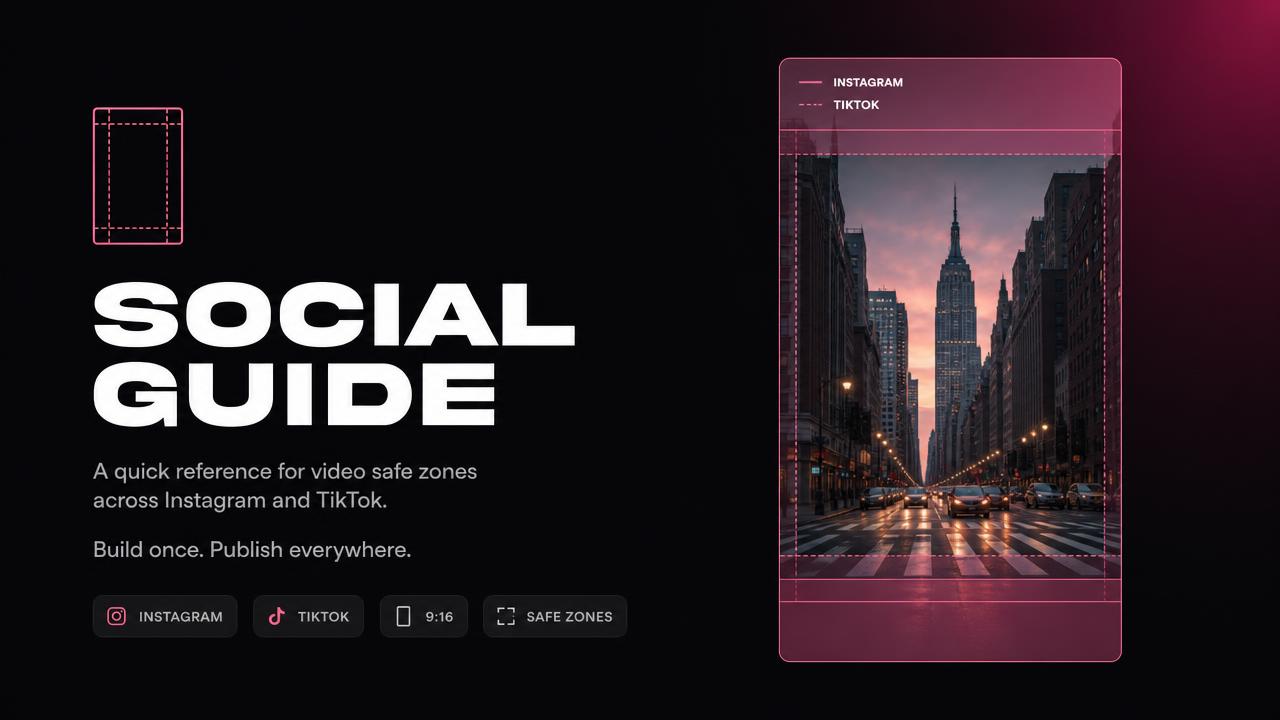
Drop it on a track above your edit and you see the interface zones each platform draws over your frame. Disable the track and your export is clean.
One preset per platform.
Instagram Reels and Stories, TikTok, YouTube Shorts. Each preset matches the safe area that platform actually covers with captions, buttons and handles.
Built for vertical, works on any size.
The guide scales to the timeline resolution, so a 1080x1920 project and a 2160x3840 project show the same proportional zones.
No render cost.
It is a Fusion overlay made from native nodes. It does not touch your image and it does not need to be removed before delivery — just hidden.
Controls
| Control | Range | What it does |
|---|---|---|
| Platform | 4 presets | Chooses which interface zones are drawn. |
| Opacity | 0 – 100 | How strong the overlay reads over your footage. |
| Zone colour | Colour picker | Contrast against bright or dark footage. |
| Show labels | On / Off | Names each zone (caption, actions, handle). |
Compatibility
| Resolve version | 18 and later |
|---|---|
| Edition | Free and Studio |
| Platform | macOS and Windows |
| Install type | .drfx, double-click |
| Timeline | Any resolution, vertical or horizontal |
Install type: Fusion effect (.drfx). See the install guide.
Honest notes
What it can't do.
- Platforms move their interface. When a layout changes we update the preset, but there can be a gap between their change and our update.
- It shows zones, it does not reframe anything for you. Repositioning your shot is still your job.
- Labels are English only.
- It is a guide overlay: if you leave the track enabled, it exports.
What's included
- Social Guide .drfx installer
- Four platform presets
- One-page PDF with the zone reference
- Free updates on the same Gumroad download
Questions before buying? Write to support@nodexplugins.com — the person who made the plugin answers.
Other plugins
- Color PipelineLog to Rec.709 with the node tree already built. One clip or the whole timeline.
- SloShutter LiteMotion trails built by frame accumulation. Shutter drag on your timeline.
- SloShutter ProContinuous drag calculated by optical flow. Long exposure, on video.
- TileazySplit a vertical timeline into 2 to 8 equal tiles. Two dropdowns per clip.